
Quick Start
Get your first invitation working in just a few minutes!
Installation
Section titled “Installation”- Download the latest JAR from Modrinth
- Place it in your
plugins/folder - Restart your server
- Done! Check console for:
[InviteMe] Plugin loaded successfully
Your First Invite
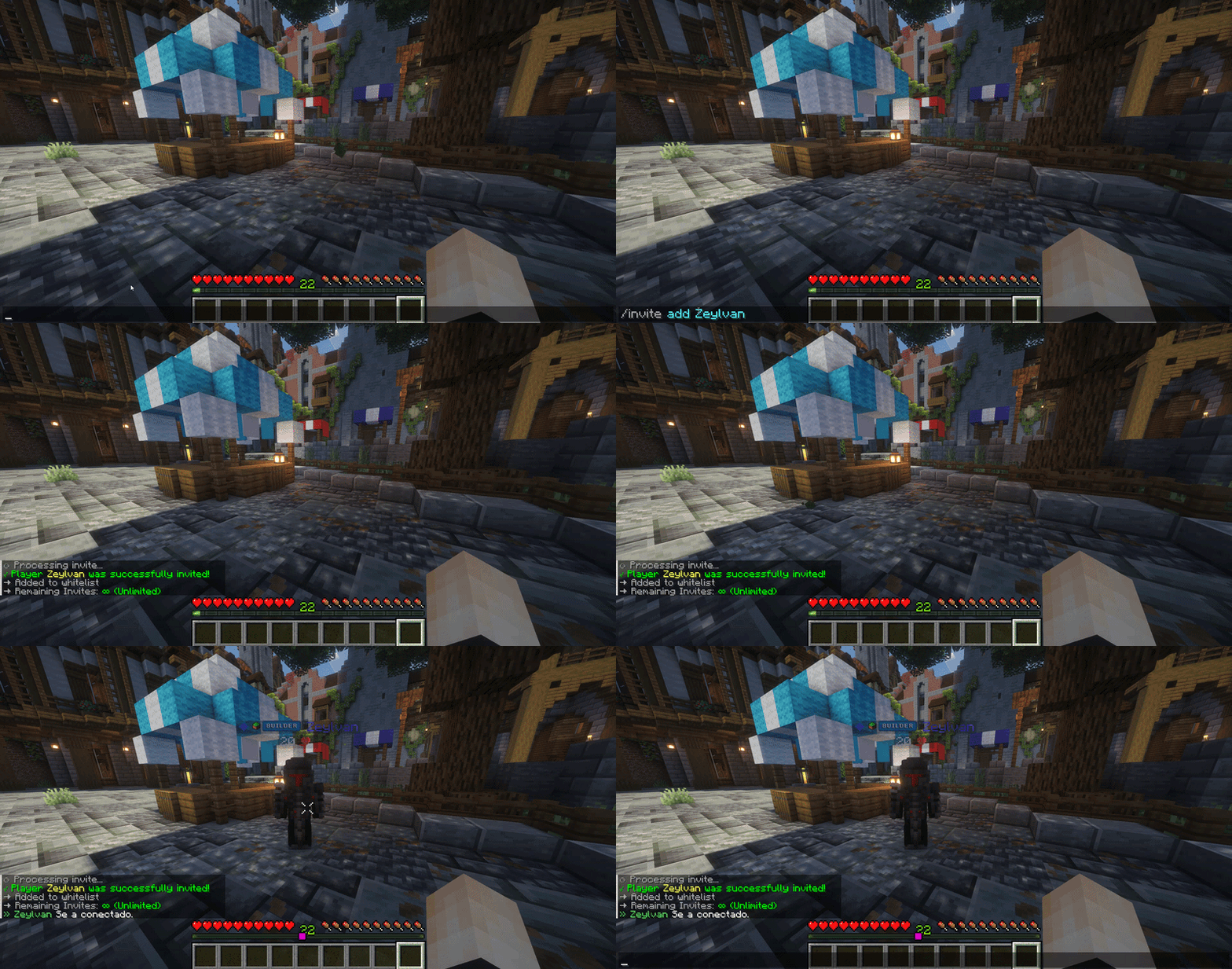
Section titled “Your First Invite”Now let’s invite your first player. Use this command:
/invite add SteveReplace Steve with the player’s username you want to invite.
That’s it! The player will now be able to join your server.
View Invitations
Section titled “View Invitations”Check who you’ve invited:
/invite listOr see the inventory GUI:
/invite menu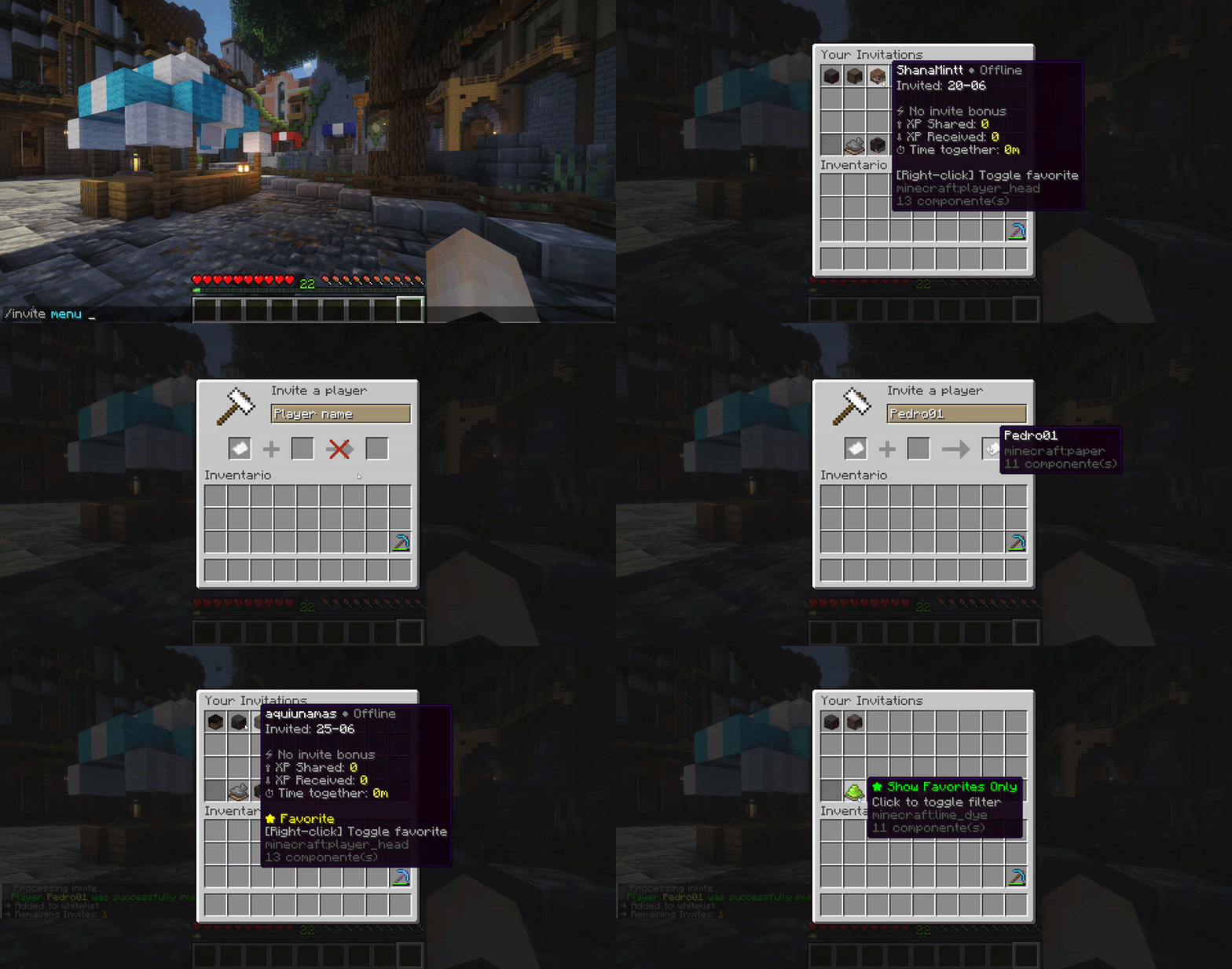
Temporary Invitations
Section titled “Temporary Invitations”Want to invite someone for only 7 days? (requires invite.temp permission):
/invite add Alex 7The invitation will automatically expire after 7 days.
Remove an Invitation
Section titled “Remove an Invitation”If needed, remove someone:
/invite remove Steve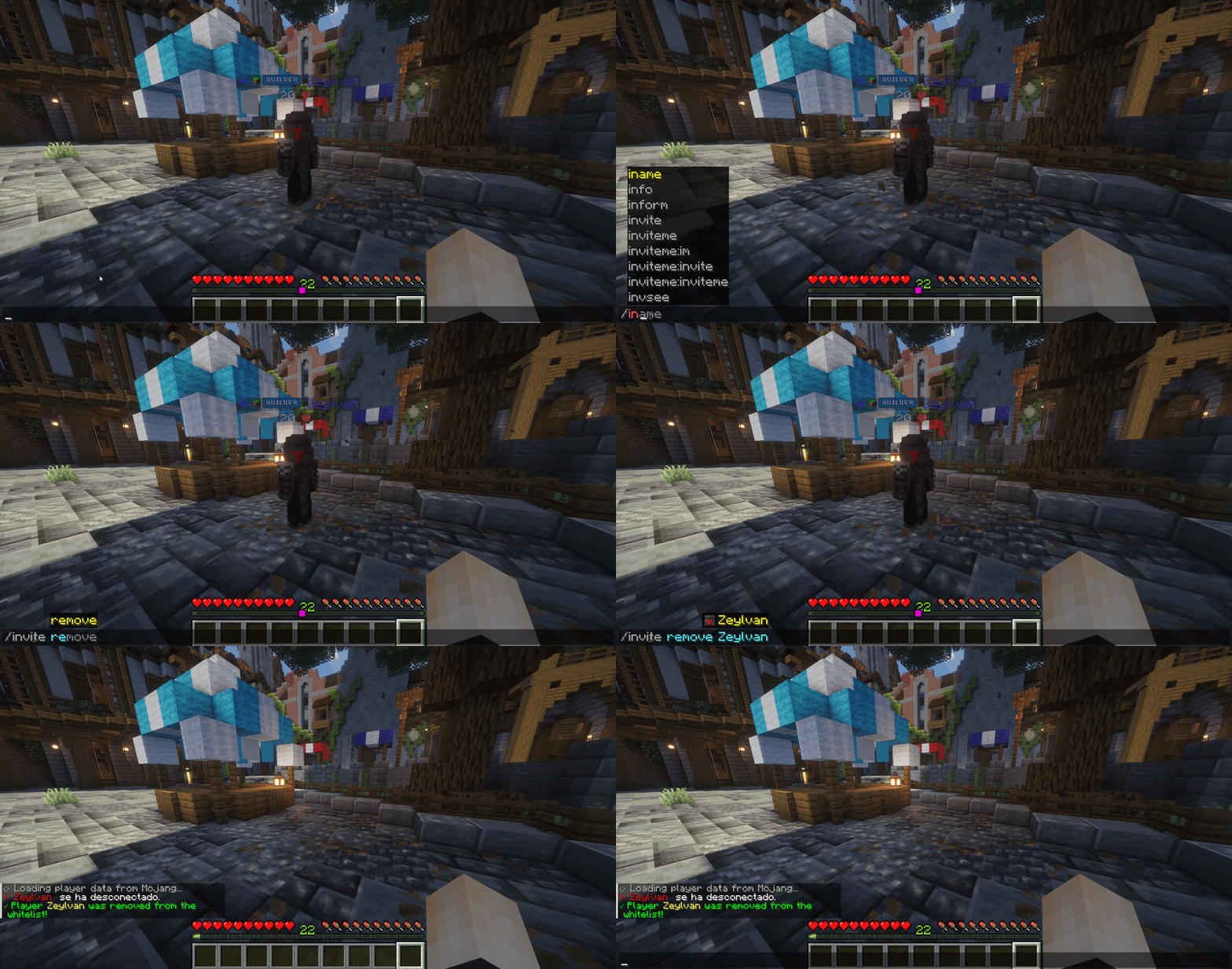
Next Steps
Section titled “Next Steps”- 📖 Learn all commands: /invite Command & /im Command
- ⚙️ Configure storage: Storage Backends
- 🔗 Setup LuckPerms: LuckPerms Integration
- ❓ Have questions? Check the FAQ
Congratulations! You now have a working invitation system. 🎉